What's this for


As an automation engineer, I want to have a tool for analyzing and diagnosing the condition of PID controllers, as well as for their automated tuning
As a plant manager, I want to receive timely information about the condition of PID controllers, including signs of regulation quality degradation, with the ability to request maintenance and tuning of the control loops

- Provides monitoring of PID controllers' performance quality;
- Calculates metrics for evaluation and monitors their compliance with normative values;
- Visualizes performance metrics in various formats and signals deviations;
- Implements automated identification of the control object, as well as analysis and evaluation of the quality of the obtained models;
- Calculates optimal settings for PID controllers, and conducts analysis and evaluation of the quality of the calculated parameters.
Key advantages
- Connecting various control and regulation systems (RSU) into a single monitoring system, with pre-configured monitoring templates for PID controllers tailored to different RSU brands (Honeywell, Yokogawa, Emerson);
- Diagnostics and identification of fault sources in PID controllers (controller, sensor, actuator);
- Detection and analysis of dependencies between PID controllers;
- Pre-configured metrics and user interfaces, with the ability to modify them and create new ones;
- Object control model identification, a library of identified models for each PID controller, and comparative analysis of models;
- Adjusting PID controllers and calculating parameters based on the type of control system (Honeywell, Yokogawa, Emerson, etc.). A library of calculated settings for each PID controller and comparative analysis of these settings;
- Automation of the business process for monitoring and tuning PID controllers (event signaling, message sending, event escalation);
- Deployment together with other application modules of the iXyber Platform (APC Runner, APC Analyst, AE Analyst, Asset Analyst, etc.);
- Deployment at the level of the technological installation, enterprise level, and corporate level.


Monitoring of regulation quality at the installation level
Aggregates monitoring results from individual PID controllers and calculates consolidated metrics for evaluating regulation quality at the technological installation scale.
Dashboard
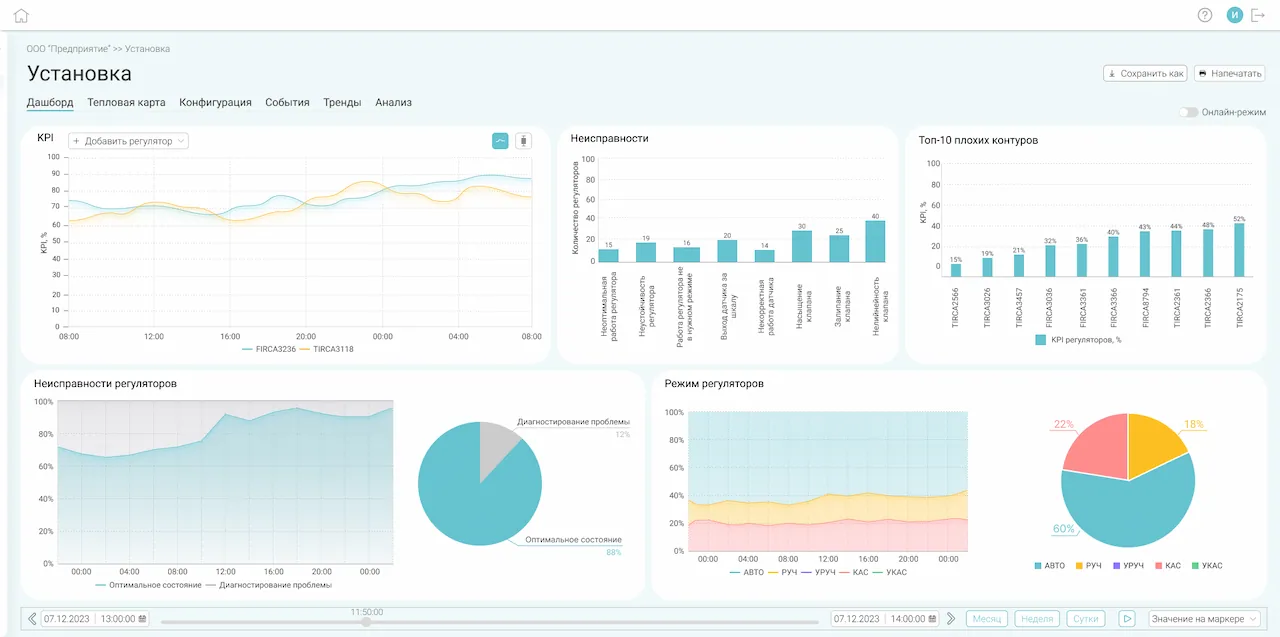
- Dynamics of key performance indicators;
- Distribution of PID controller faults by classes;
- TOP-10 poor control loops;
- Trends and statistics on PID controller faults;
- Trends and statistics on PID controller modes.
- Dynamics of key performance indicators;
- Distribution of PID controller faults by classes;
- TOP-10 poor control loops;
- Trends and statistics on PID controller faults;
- Trends and statistics on PID controller modes.
Heatmap
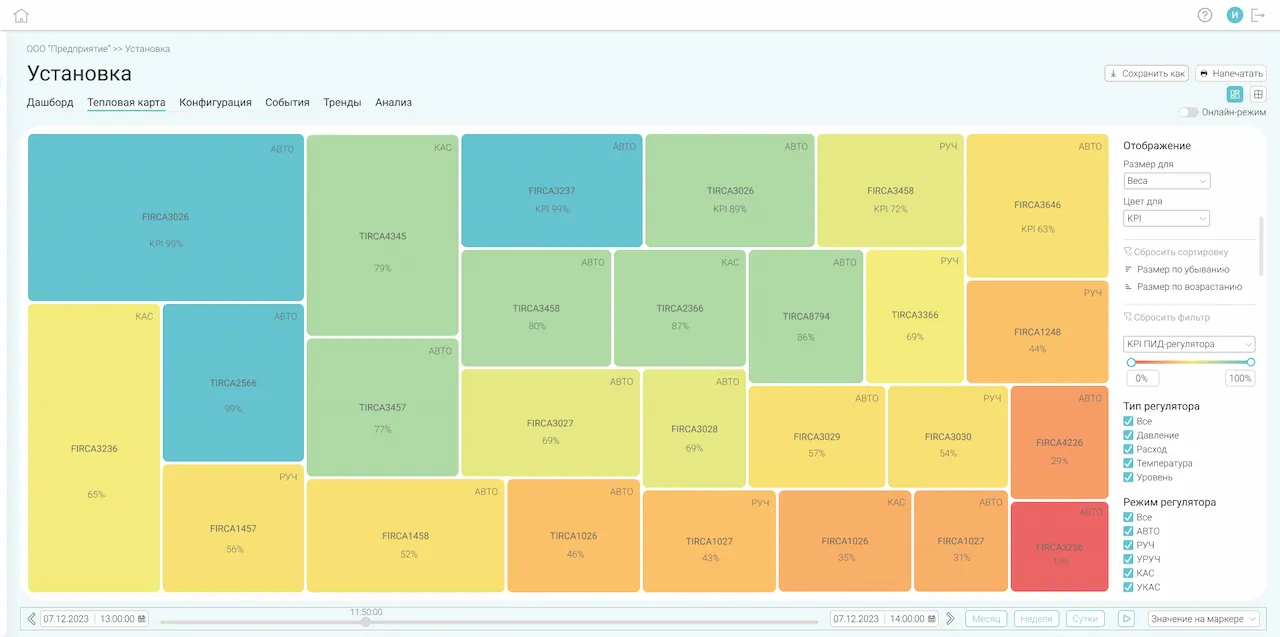
 Table view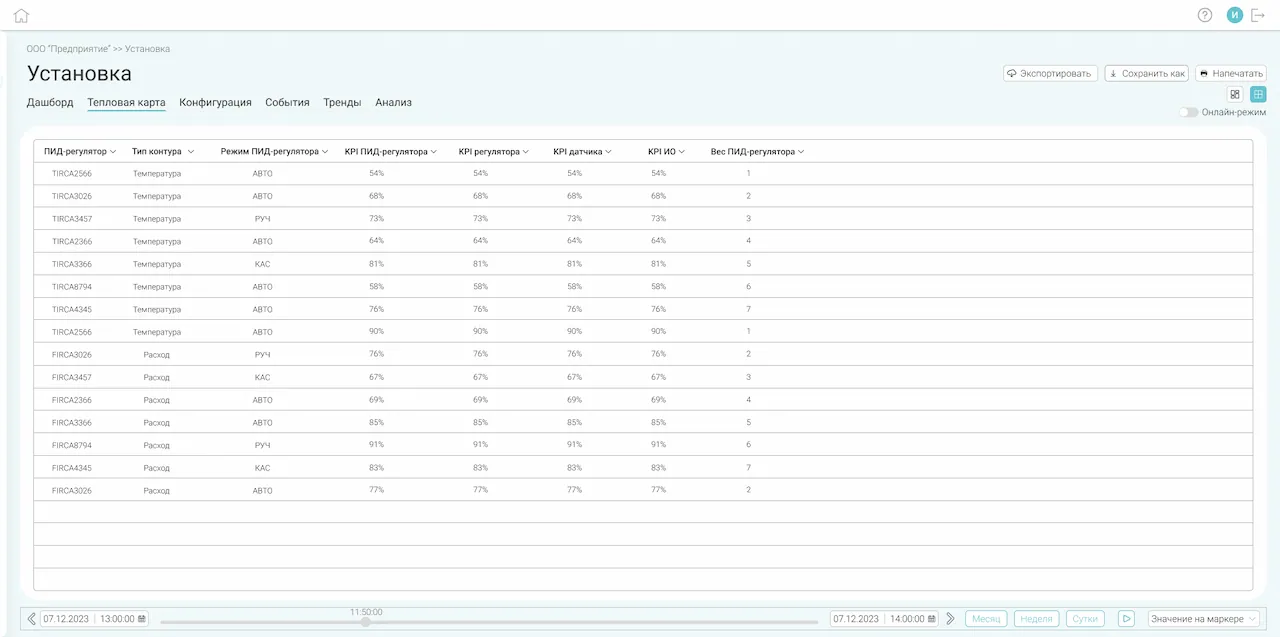
- Color and size encoding of information;
- Flexible sorting and filtering;
- Tabular view;
- Exporting data from the table view to CSV.
- Color and size encoding of information;
- Flexible sorting and filtering;
- Tabular view;
- Exporting data from the table view to CSV.

PID controllers monitoring
Monitoring and analysis of each PID controller's performance quality.
Dashboard
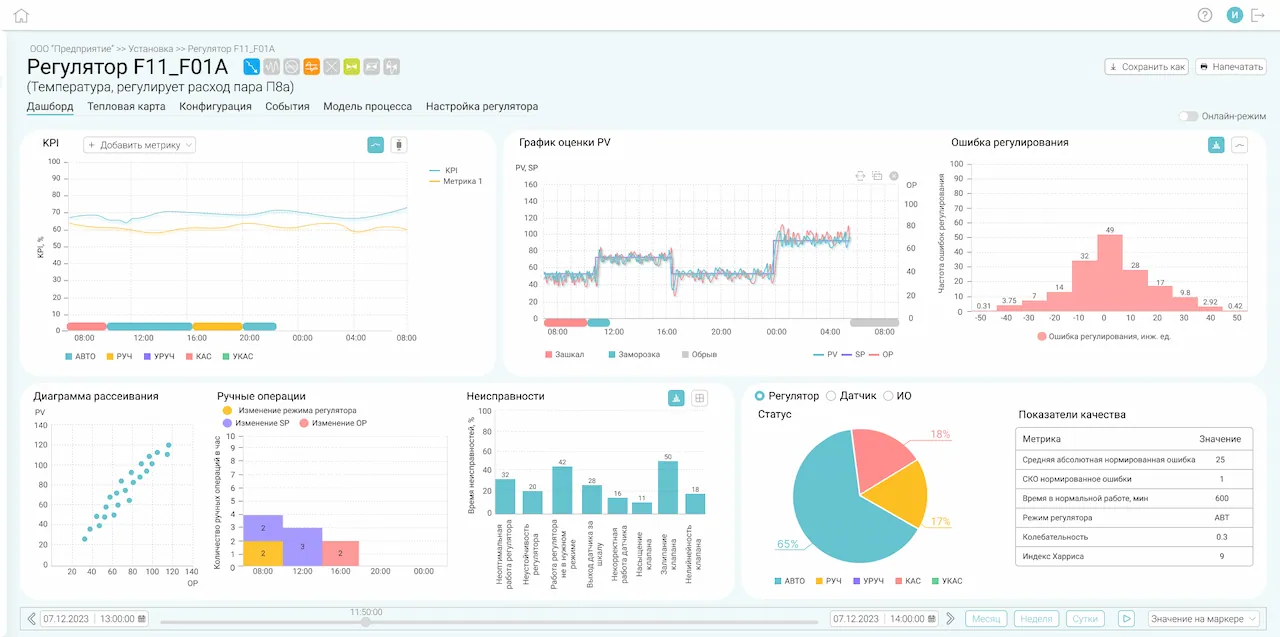
- Dynamics of PID controller metrics;
- Trend and histogram of regulation error;
- Manual operations and faults of the PID controller;
- Scatter plot for the control object;
- Statuses and performance indicators of the PID controller.
- Dynamics of PID controller metrics;
- Trend and histogram of regulation error;
- Manual operations and faults of the PID controller;
- Scatter plot for the control object;
- Statuses and performance indicators of the PID controller.
Heatmap
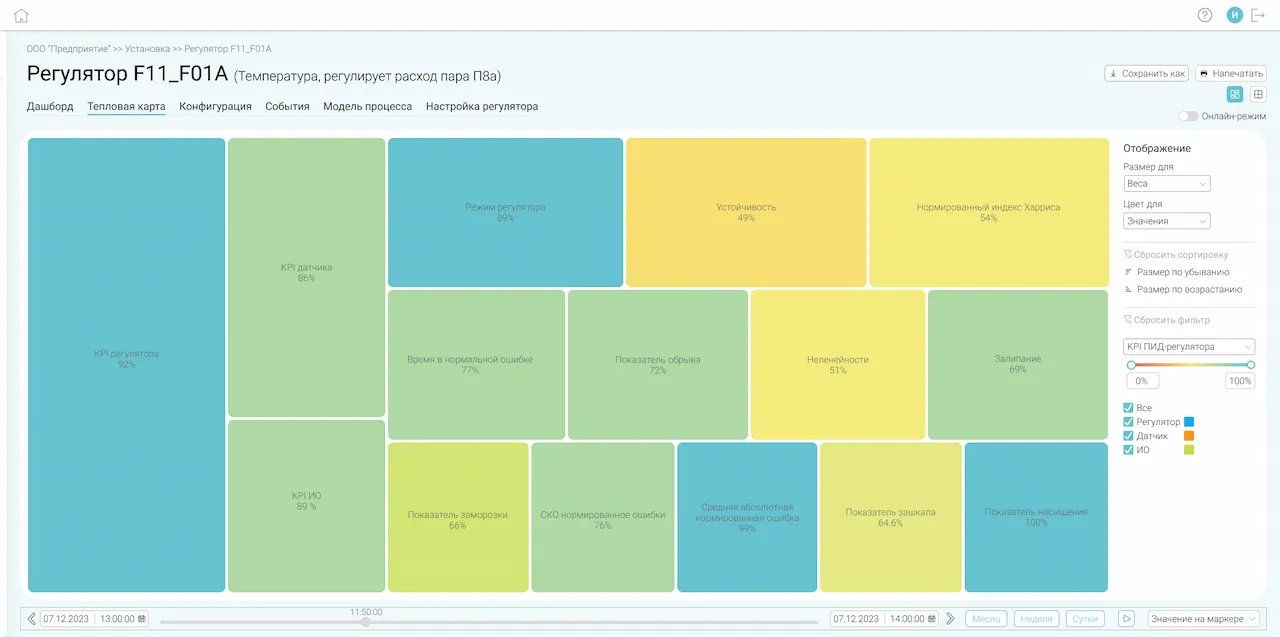 Table view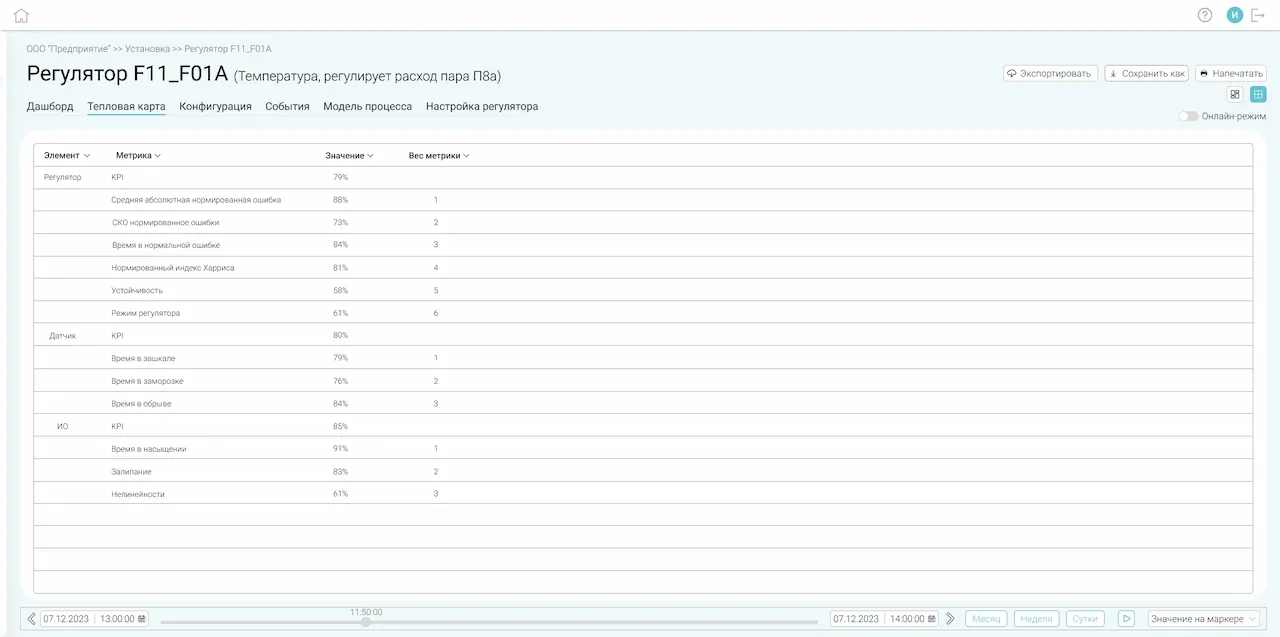
- Color coding of information by color and size;
- Flexible sorting and filtering;
- Tabular view;
- Export of data from the table view to CSV.
- Color coding of information by color and size;
- Flexible sorting and filtering;
- Tabular view;
- Export of data from the table view to CSV.

Analysis of the influence of PID controllers
Analysis of how PID controllers influence each other.
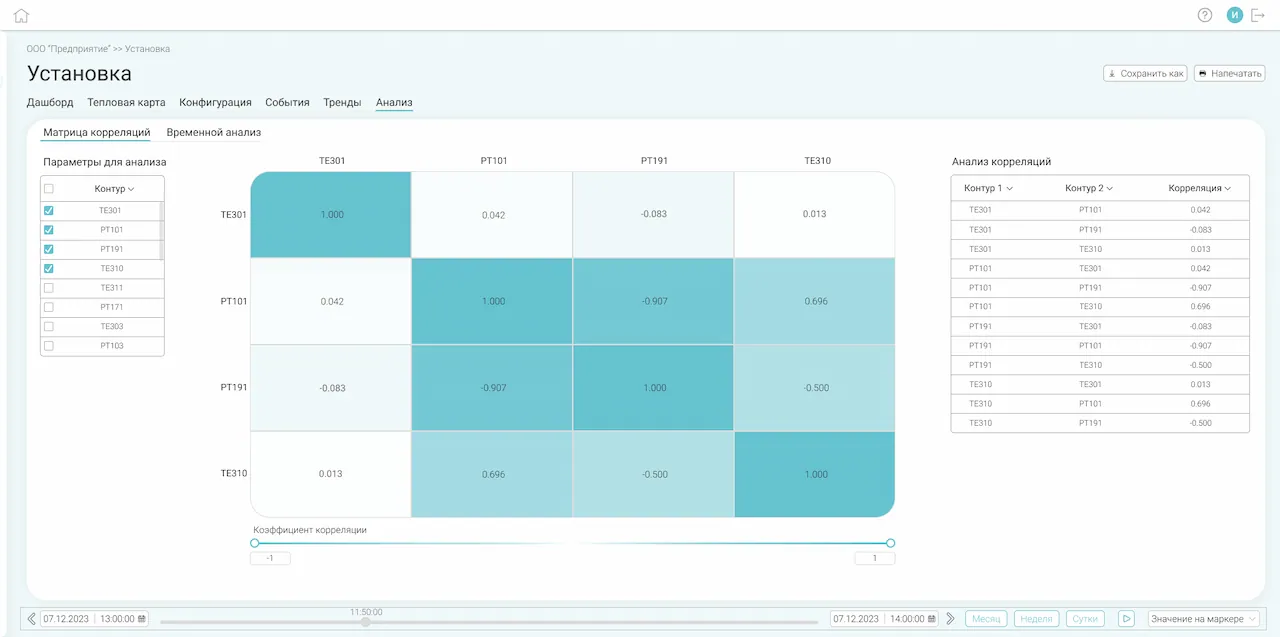
- Correlation matrix and correlation table;
- Temporal analysis of the interdependence of regulation control loops.
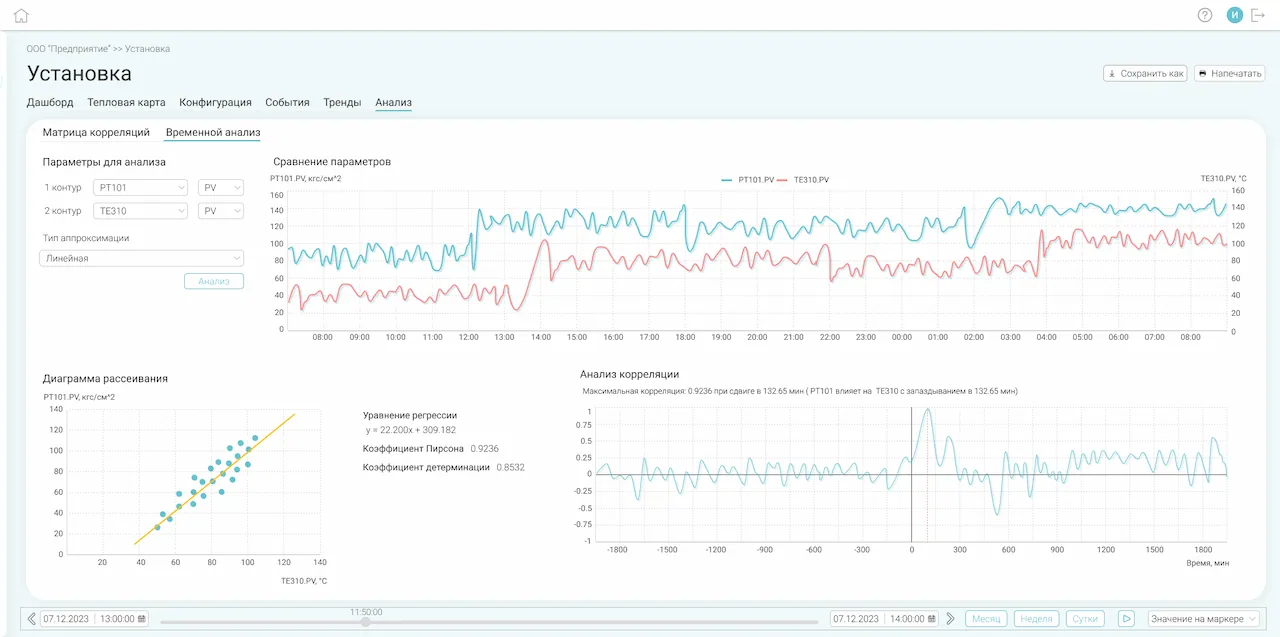
- Trend comparison of analyzed parameters;
- Scatter diagram and regression equation;
- Calculation of correlation and determination coefficients;
- Automatic assessment of PID controllers' influence.
 Correlation matrix and correlation table;
- Temporal analysis of the interdependence of regulation control loops.

Object Control Model Identification
Identification of the technological process model for calculating optimal PID controller settings.
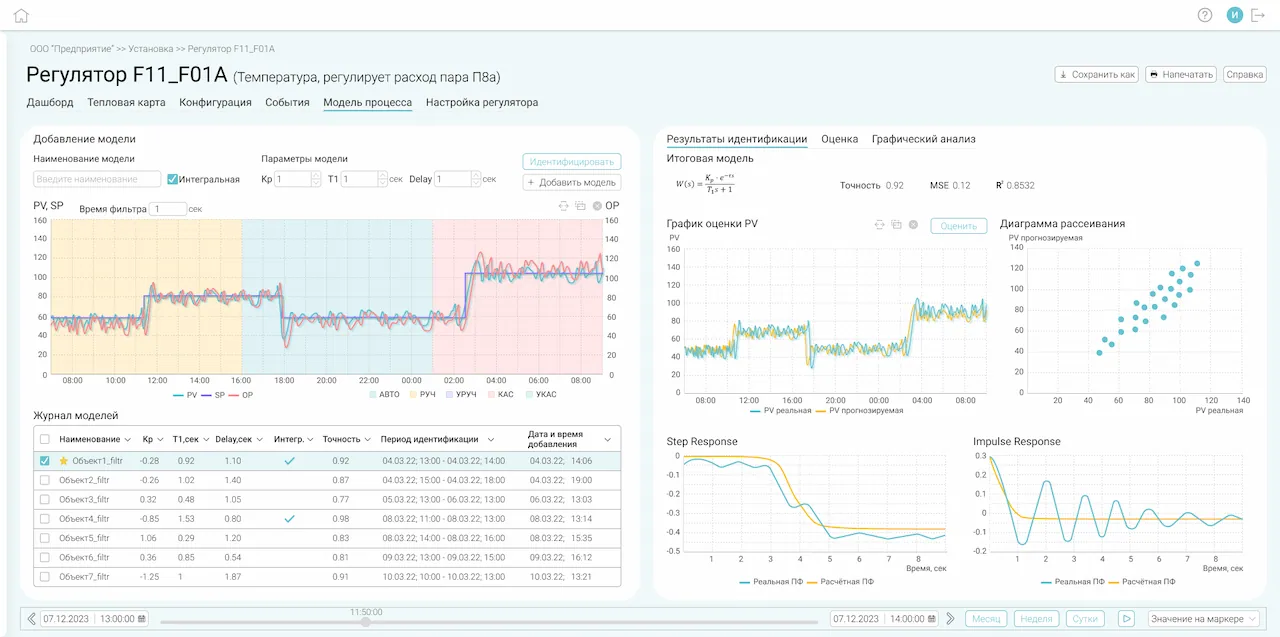
- Active or passive experiment-based object model identification;
- Analysis of Identification Results:
- PV evaluation graph;
- scatter diagram;
- transition response;
- impulse response.
- Model Log Management: ('Create', 'Edit', 'Duplicate', 'Delete') options.

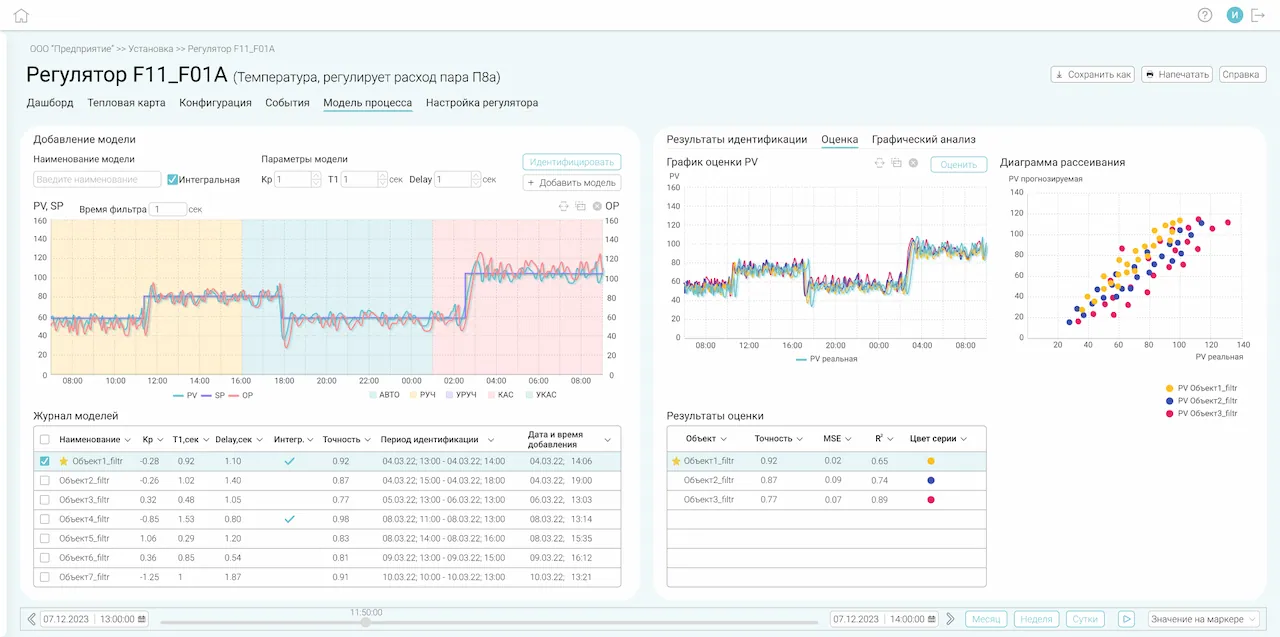
- Comparative quality assessment of models:
- time trend;
- scatter diagram;
- determination coefficient;
- root mean square error.
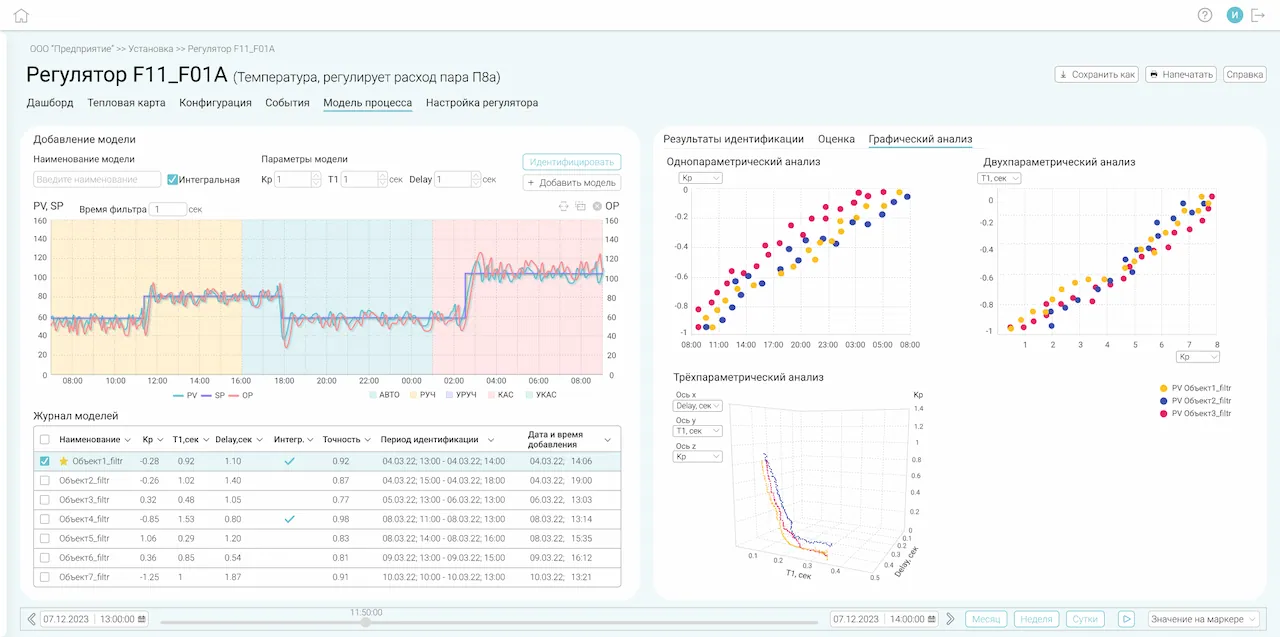
- Graphical Analysis of Model Log.

- Active or passive experiment-based object model identification;
- Analysis of Identification Results:
 PV evaluation graph;
- scatter diagram;
- transition response;
- impulse response.
- Model Log Management: ('Create', 'Edit', 'Duplicate', 'Delete') options.

Setting up PID controllers
Calculation of PID controller settings using the lambda method based on the control object model from the model log.
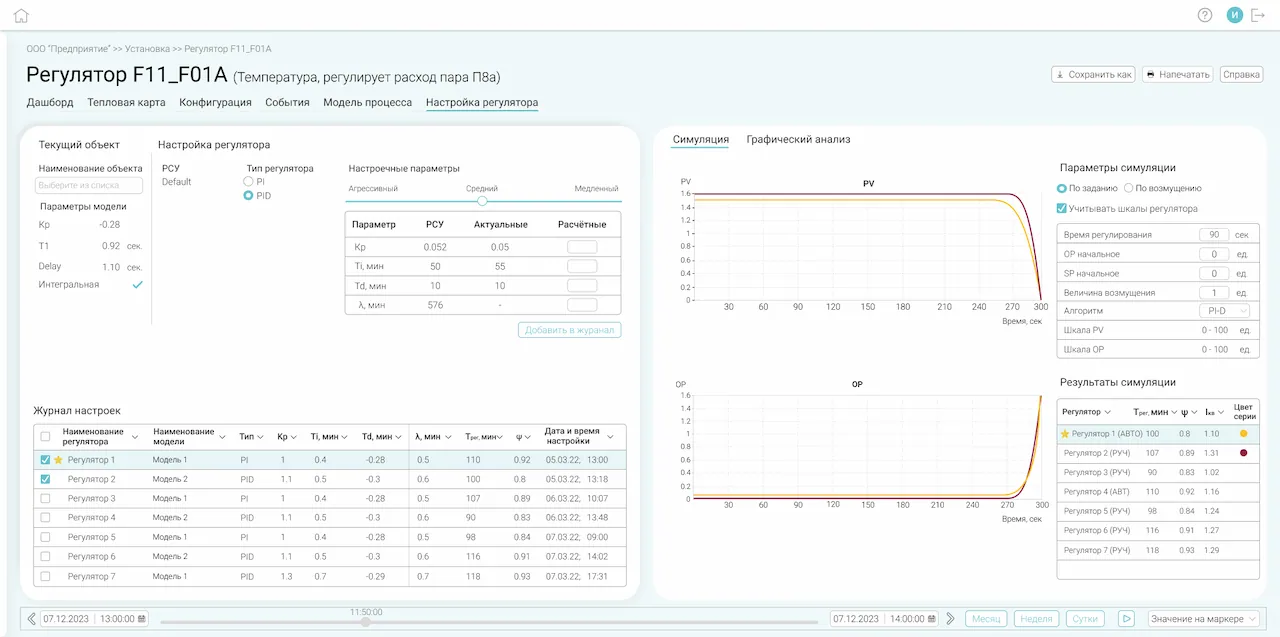
- Calculation of PID controller settings using the lambda method. The following are specified:
- type of control system;
- model from the model log;
- controller type;
- aggressiveness of setting.
- PID controller operation simulation:
- simulation settings (by setpoint or by disturbance);
- trends;
- numerical performance indicators for setpoint tracking and disturbance rejection.
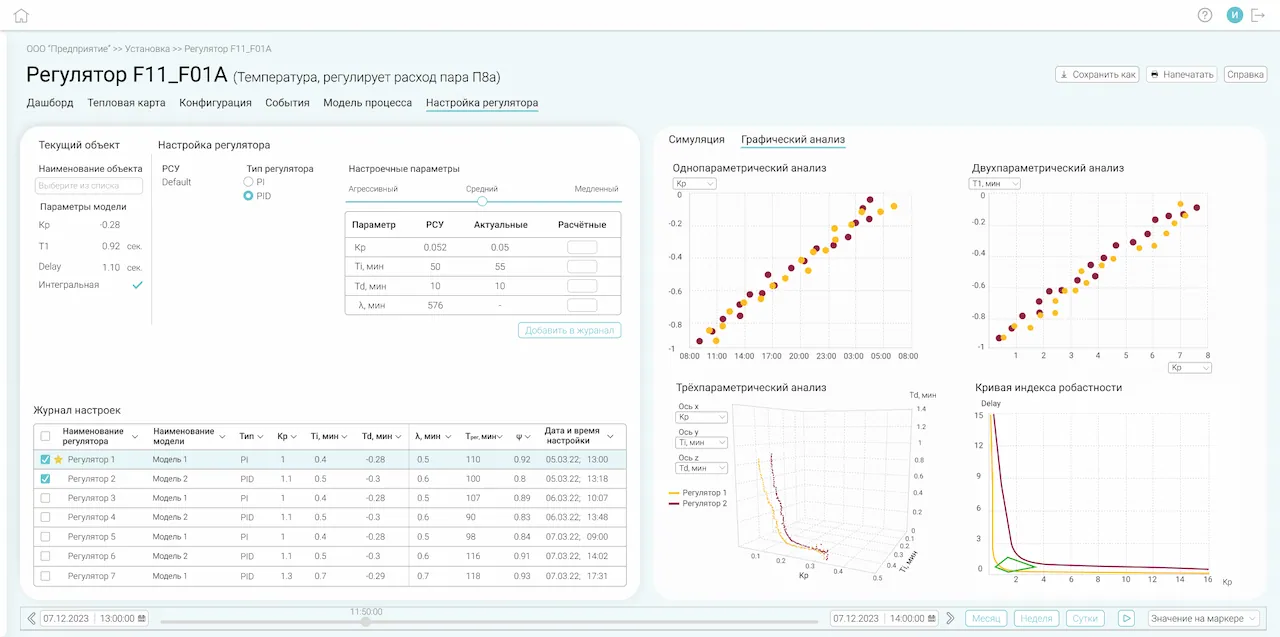
- Management of the tuning parameters log;
- Graphical analysis of tuning parameters from the log;
- Robustness curve of regulator settings.
- Calculation of PID controller settings using the lambda method. The following are specified:
- type of control system;
- model from the model log;
- controller type;
- aggressiveness of setting.
- PID controller operation simulation:
- simulation settings (by setpoint or by disturbance);
- trends;
- numerical performance indicators for setpoint tracking and disturbance rejection.

Events, trends, data export
Viewing and analyzing events and historical trends, exporting monitoring data for external processing.
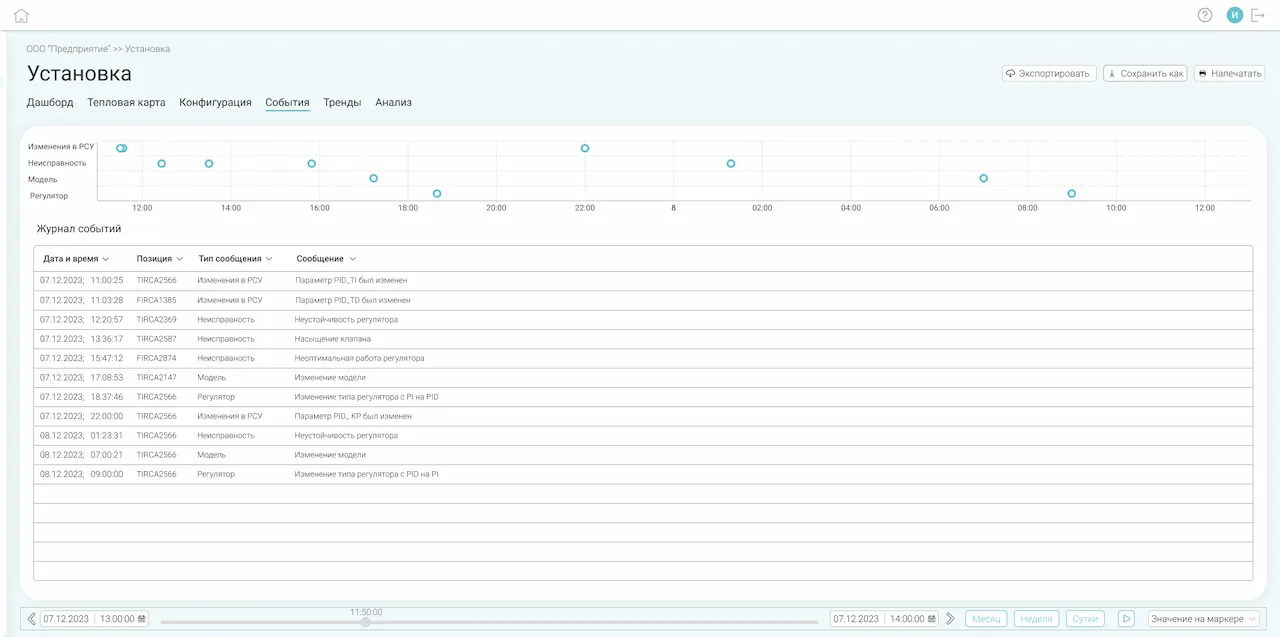
- PID controller events: system events and user events;
- Export of events and trend data to CSV.
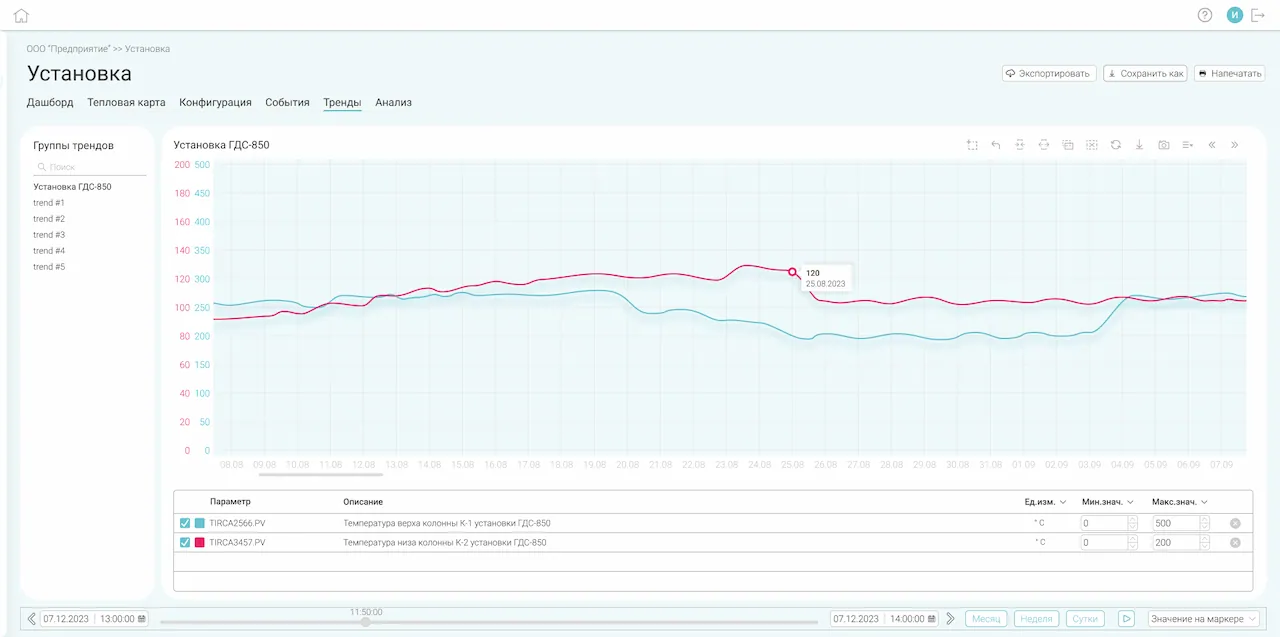
- Historical trends: pre-configured and user-defined trend groups.
- PID controller events: system events and user events;
- Export of events and trend data to CSV.

Configuration of PID controllers
Configure PID controllers via the system's user interface.
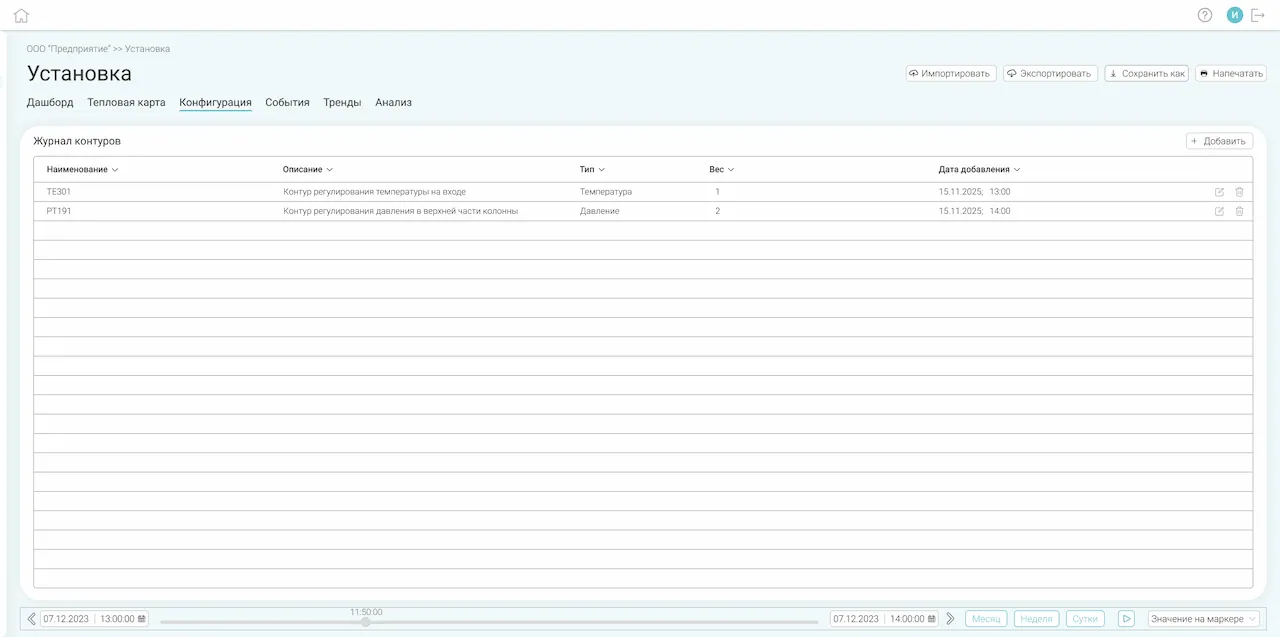
- Add, remove, and edit PID controller configurations;
- Import and export configurations from CSV.
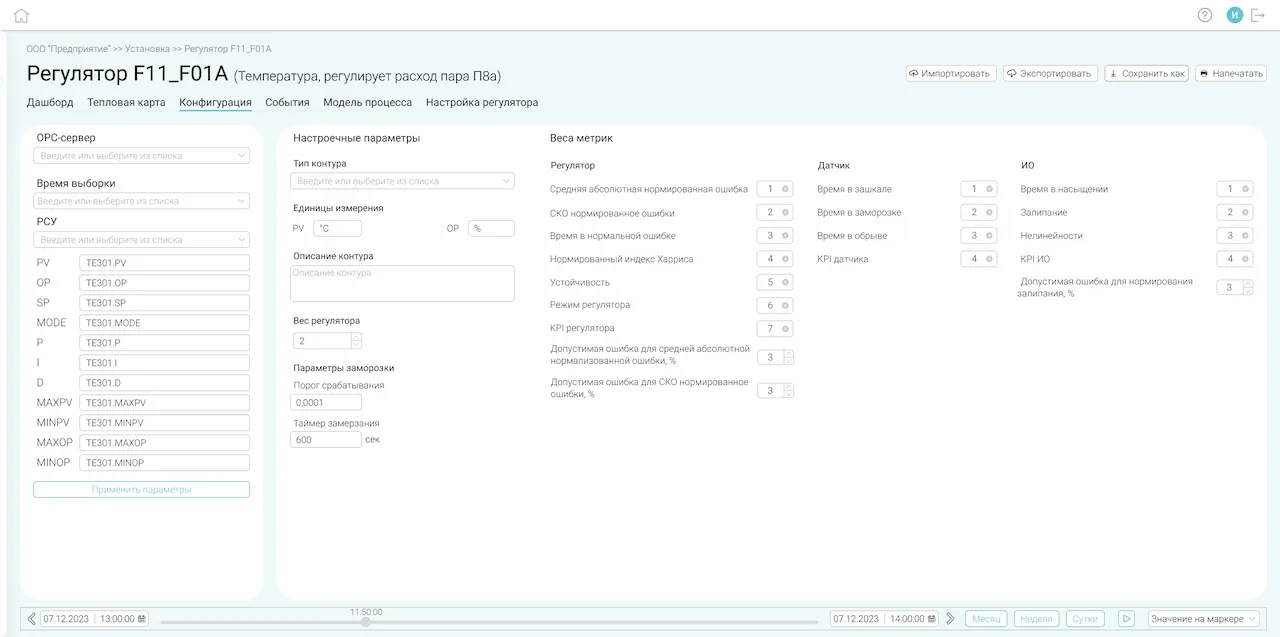
- Setting configuration for the PID controller:
- OPC server;
- type of control system;
- type of PID regulator;
- regulator weight;
- parameters and weights of metrics, etc.
- Add, remove, and edit PID controller configurations;
- Import and export configurations from CSV.